Start Here
Core guides for the missing Create New File workflow on macOS.
How to Create a New File on Mac - Finder GuideCompare built-in ways to create a new file on Mac, then see how CreateFiles+ adds Finder, toolbar, shortcut, batch, and reusable folder workflows.
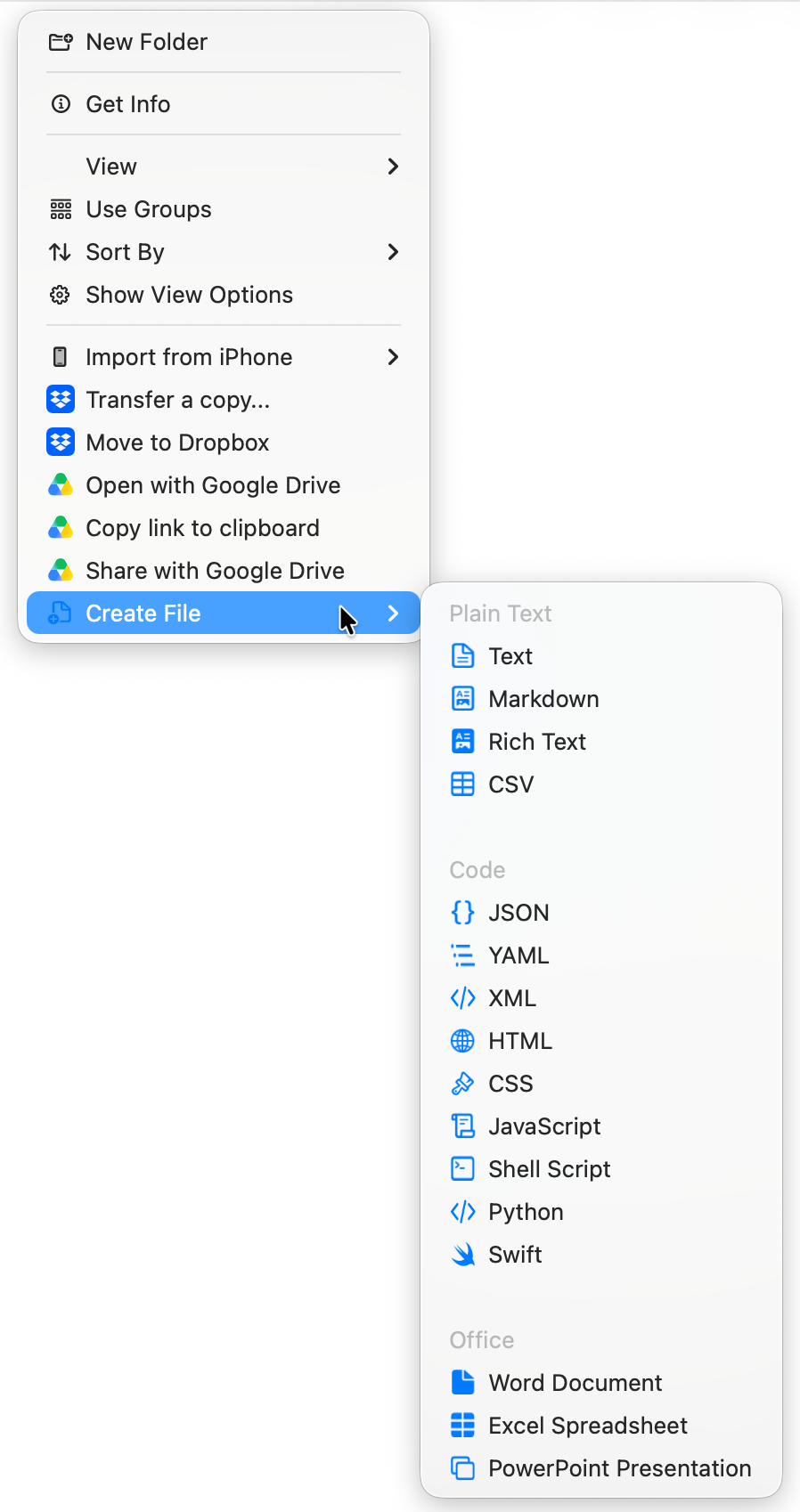
Finder Create New File - Add the Missing Mac CommandAdd a Create New File workflow to Finder with CreateFiles+, including toolbar, menu bar, and shortcut options for supported folders.
New File Menu for Mac - A Faster Finder WorkflowCreateFiles+ adds a practical new-file workflow to Mac with Finder actions, menu bar access, and shortcuts for common blank file types.
File Type Guides
Create specific starter file types in the folder where your work already lives.
New Text File on Mac - Create Blank .txt Files FasterCreate a new blank text file on Mac from Finder, the menu bar, or a keyboard shortcut with CreateFiles+ and keep notes in the right folder.
Create Markdown File on Mac - Blank .md Files from FinderCreate blank Markdown files on Mac without opening an editor first. Use CreateFiles+ from Finder, the menu bar, or Quick Create.
How to Create a JSON File on Mac - 3 Easy MethodsCreate a .json file on Mac using Terminal, TextEdit, or directly from Finder. See the steps, then try CreateFiles+ free for recurring JSON workflows.
Create CSV File on Mac - Blank .csv Files from FinderCreate a blank CSV file on Mac for quick data capture, spreadsheets, imports, and exports with CreateFiles+.
Create HTML File on Mac - Blank .html Files from FinderCreate blank HTML starter files on Mac from Finder, the menu bar, or shortcuts with CreateFiles+ so project files start in the right folder.
New Word Document on Mac - Create Blank .docx Files FasterCreate a blank Word document on Mac from Finder, the menu bar, or shortcuts with CreateFiles+ and start drafts in the right folder.
Troubleshooting
Understand Finder extension limits and fallback workflows for protected or synced folders.
Mac Finder Extension for Creating New FilesUnderstand how CreateFiles+ uses Finder workflows, toolbar access, menu bar access, and shortcuts to create blank files on macOS.
Finder Extension Not Showing on Mac - What to CheckTroubleshoot a missing CreateFiles+ Finder extension, refresh Finder, repair the toolbar item, grant folder access, and use cloud-folder fallbacks.
Comparisons And Workarounds
Compare Terminal, Automator, New File Menu-style utilities, and CreateFiles+.
Create a New File on Mac Without TerminalCreate blank files on Mac without using Terminal commands. Compare manual app saves, Finder workflows, and CreateFiles+.
Create New File on Mac with touch vs CreateFiles+Compare the Terminal touch command with CreateFiles+ for creating blank files on Mac from Finder, the menu bar, or shortcuts.
Automator Create New File on Mac vs CreateFiles+Compare Automator and CreateFiles+ for adding a Create New File workflow to macOS Finder, including setup effort, shortcuts, and repeat use.
CreateFiles+ vs New File Menu for MacCompare CreateFiles+ with New File Menu-style Mac utilities for creating blank files from Finder and shortcuts.