Finder extensions have rules
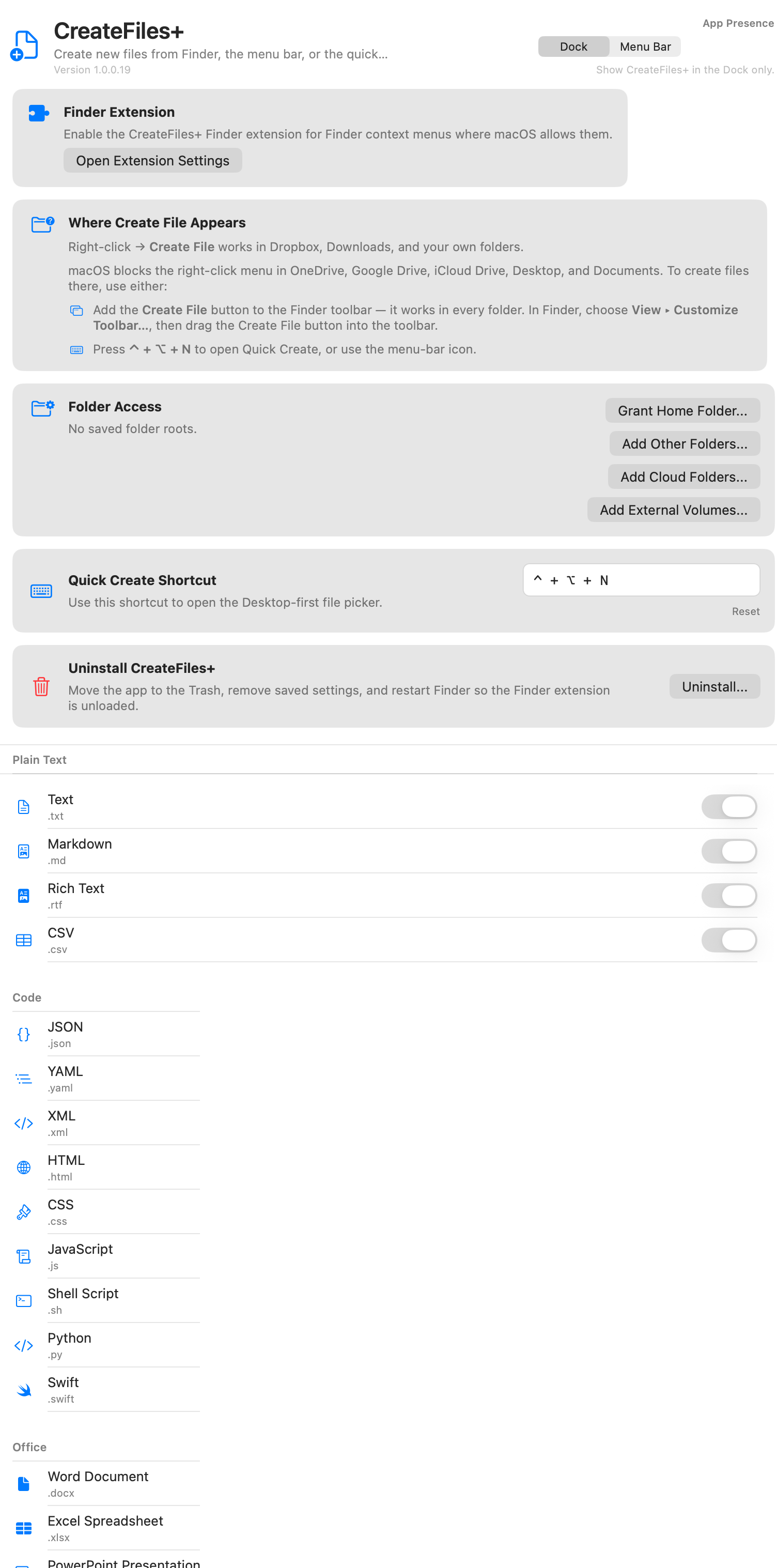
macOS controls where Finder extensions can appear and what they can access. That is good for security, but it means a single context-menu route is not enough for every folder.
CreateFiles+ includes fallback workflows
The app supports Finder, Finder toolbar, menu bar, and Quick Create workflows so you can create files in more places while respecting macOS permissions.
Folder access stays explicit
CreateFiles+ asks for folder access where needed and keeps setup visible so you know which routes are available.
How to do it with CreateFiles+
- Enable the CreateFiles+ Finder extension during setup.
- Grant access to the folders where you want file creation.
- Use Finder actions when available.
- Use the toolbar, menu bar, or shortcut flow when Finder context menus are limited.
Frequently asked questions
Why does macOS limit Finder extensions?
Finder extensions run inside macOS security and privacy rules. Some folders and synced locations restrict extension behavior.
Does CreateFiles+ bypass macOS security?
No. CreateFiles+ works within macOS permission rules and provides alternate workflows where Finder menus are limited.
Related CreateFiles+ guides
Create the file in the Finder folder you already have open.
Try the direct-download app free for 7 days with no card, or purchase CreateFiles+ through Apple.