Why Finder needs help
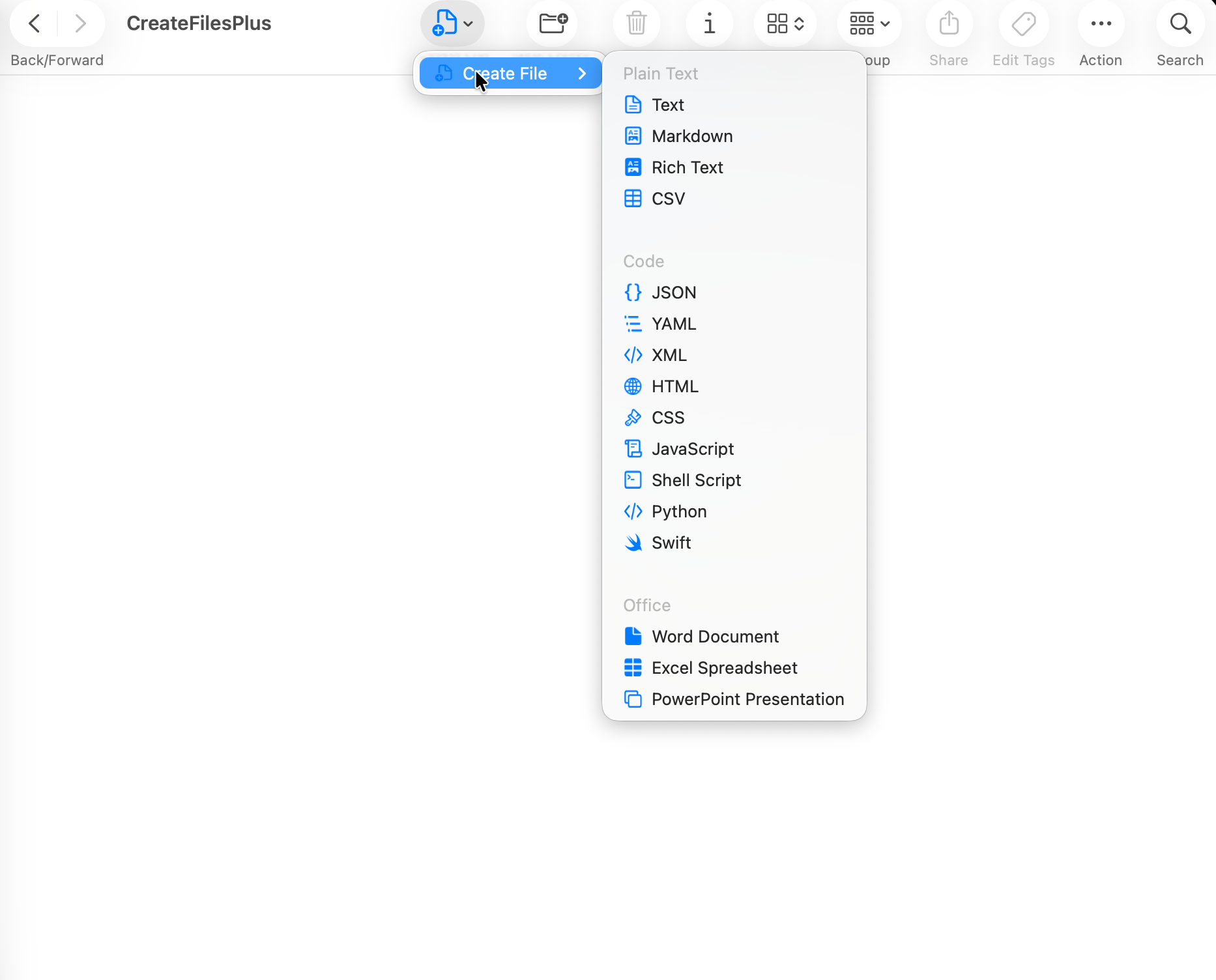
Finder is excellent for browsing and organizing files, but it does not ship with a broad new-file menu for blank documents, code files, data files, and scripts. CreateFiles+ adds that missing workflow without turning file creation into a separate project.
Finder, toolbar, and fallback routes
Some macOS folders limit where Finder extensions can appear. CreateFiles+ gives you multiple routes so you can still create files from the Finder toolbar, the menu bar, or a shortcut when the context menu is unavailable.
Designed for local work
The app creates local blank files and does not upload document contents. It is meant for people who want a small utility that behaves like part of Finder.
How to do it with CreateFiles+
- Install and open CreateFiles+.
- Complete the Finder extension and folder setup prompts.
- Open a supported Finder folder.
- Use the CreateFiles+ Finder action to choose a blank file type.
Frequently asked questions
Why might a Finder context menu not appear everywhere?
macOS limits Finder extension behavior in some protected or synced folders. CreateFiles+ includes toolbar, menu bar, and shortcut workflows for those cases.
Can CreateFiles+ create Office files?
Yes. CreateFiles+ includes blank Word, Excel, and PowerPoint templates along with text, code, and data file types.
Related CreateFiles+ guides
Create the file in the Finder folder you already have open.
Try the direct-download app free for 7 days with no card, or purchase CreateFiles+ through Apple.