The Automator path
Automator services can create text files in Finder with AppleScript or shell scripts. That works for people who enjoy maintaining their own automation, but it can be fragile and narrow.
Where packaged utilities help
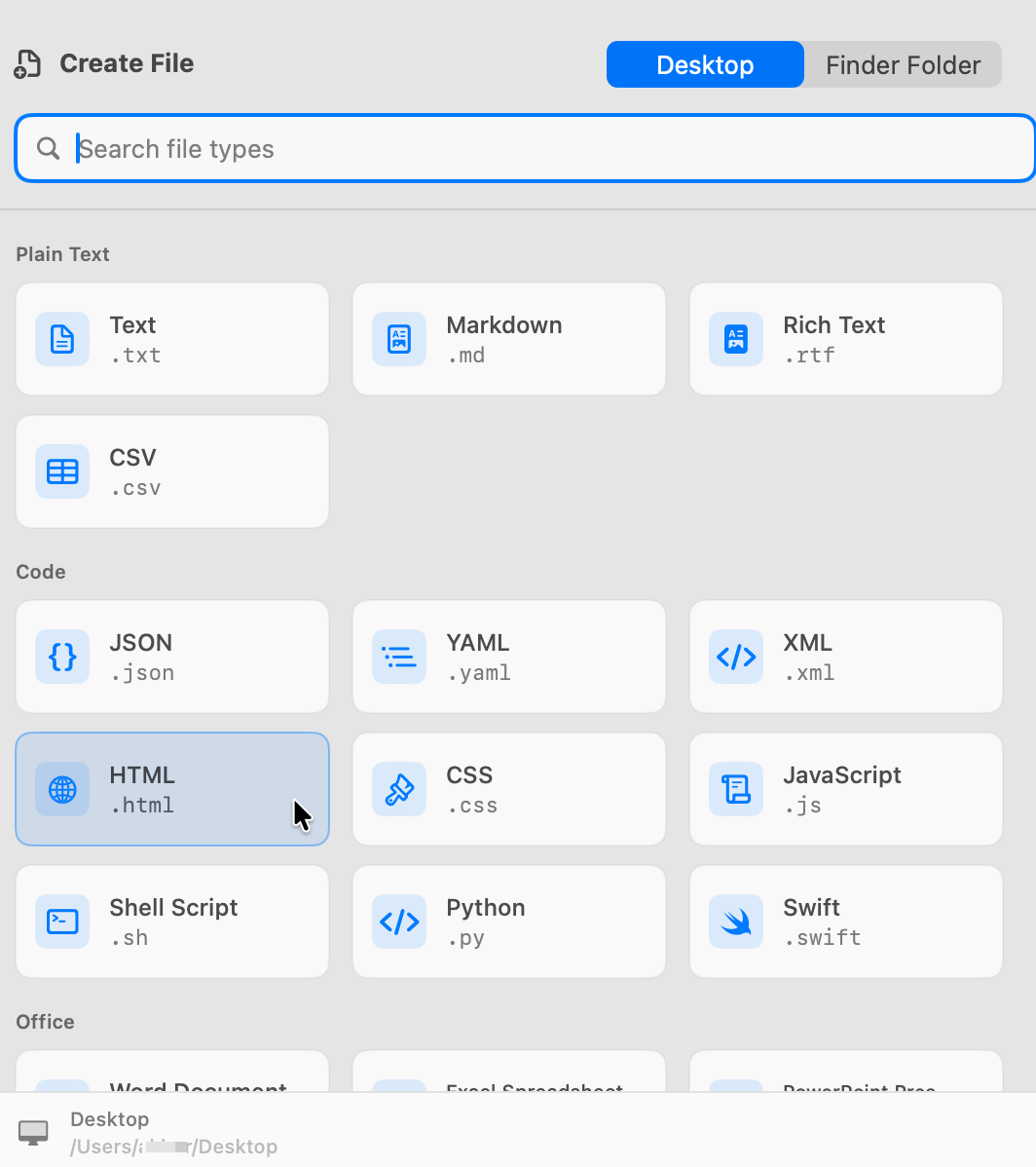
CreateFiles+ provides a file type picker, Finder-oriented flows, menu bar access, keyboard shortcuts, and starter templates for more than plain text files.
Choose based on maintenance
Use Automator if you want a custom DIY service. Use CreateFiles+ if you want the workflow packaged, updated, and easier to adjust.
How to do it with CreateFiles+
- Use Automator or Shortcuts if you want a custom script-based workflow.
- Use CreateFiles+ if you want built-in file types and a maintained Mac utility.
- Keep Terminal, Automator, and CreateFiles+ as different tools for different levels of control.
Frequently asked questions
Can Automator create new files in Finder?
Yes, with a custom service or script. It usually takes manual setup and is often limited to simpler file types.
Why use CreateFiles+ instead of Automator?
CreateFiles+ is quicker to set up, supports multiple starter file types, and includes Finder, menu bar, and shortcut workflows.
Related CreateFiles+ guides
Create the file in the Finder folder you already have open.
Try the direct-download app free for 7 days with no card, or purchase CreateFiles+ through Apple.