Why people reach for Terminal
macOS does not include a broad Finder Create New File command, so many guides recommend opening Terminal and running touch. That works for simple text files, but it is not friendly for Office documents, scripts, data files, or users who prefer visual workflows.
Non-Terminal options
You can open an app, save a blank document, and move it into place. You can also build an Automator workflow. CreateFiles+ is the faster route when you want a repeatable Finder, menu bar, or shortcut flow.
A cleaner daily workflow
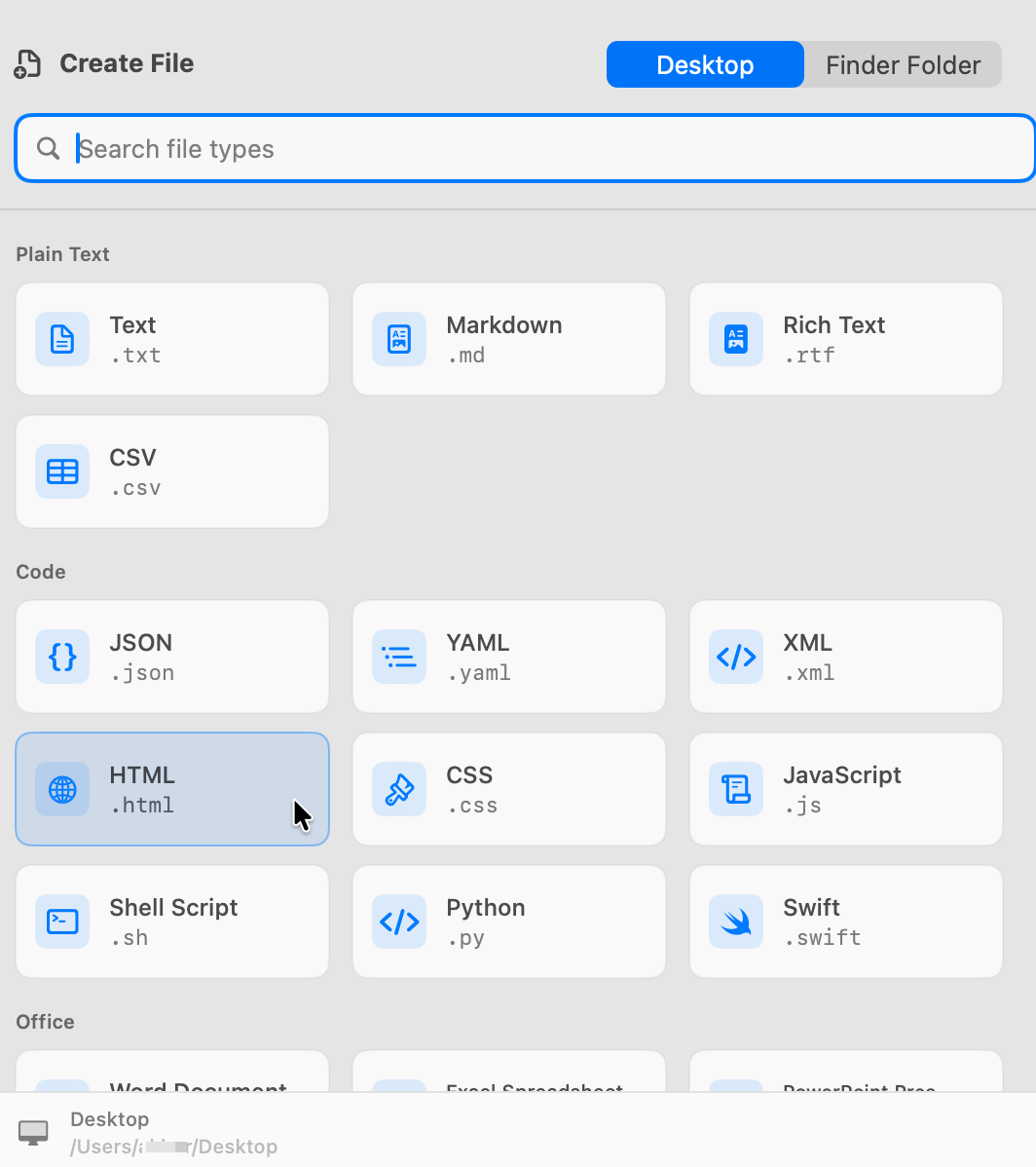
CreateFiles+ lets you choose the file type and create it in the current folder without typing commands or managing shell paths.
How to do it with CreateFiles+
- Open the folder where the file should live.
- Open CreateFiles+ from Finder, the menu bar, or a shortcut.
- Choose the blank file type.
- Rename the file and continue working.
Frequently asked questions
Can I create a new file on Mac without Terminal?
Yes. You can save blank documents manually from apps, build an Automator workflow, or use CreateFiles+ for a Finder-centered workflow.
Is Terminal still useful?
Yes. Terminal is powerful for developers, but CreateFiles+ is better when you want a visual workflow for common blank file types.
Related CreateFiles+ guides
Create the file in the Finder folder you already have open.
Try the direct-download app free for 7 days with no card, or purchase CreateFiles+ through Apple.