What touch does well
The touch command can create a blank file or update a timestamp. It is fast for developers who already know the target path and file extension.
Where touch gets awkward
Terminal paths, spaces in folder names, cloud folders, and non-text starter formats can turn a simple task into a context switch. It also does not feel native for people working visually in Finder.
When CreateFiles+ fits better
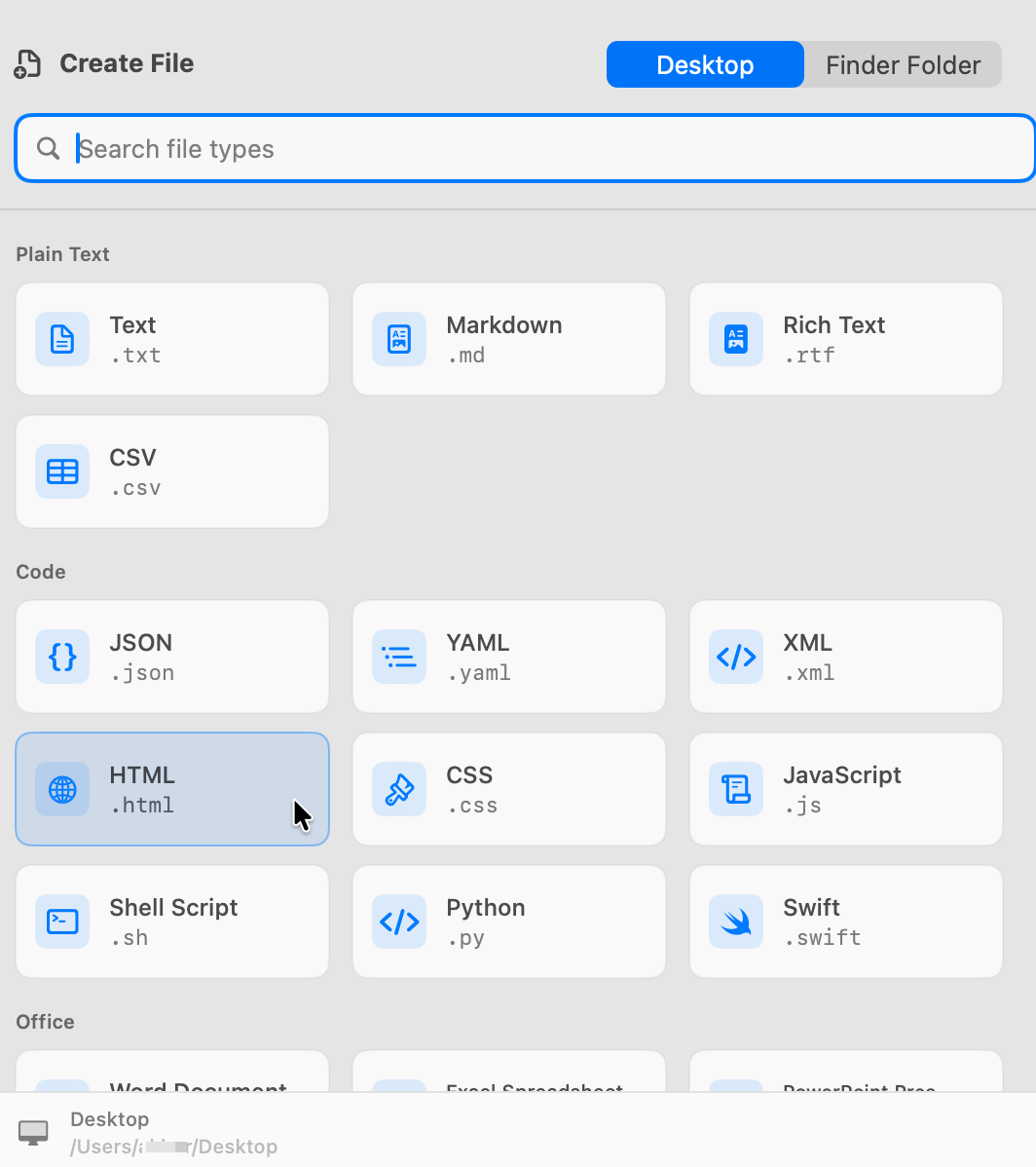
CreateFiles+ keeps creation close to Finder and supports common blank text, data, code, script, and Office starter files.
How to do it with CreateFiles+
- Use touch when you are already in Terminal and need a simple file.
- Use CreateFiles+ when you are in Finder or need a visual file type picker.
- Keep both workflows available for different contexts.
Frequently asked questions
What is the Mac command to create a blank file?
In Terminal, touch filename.txt creates a simple blank file in the current directory.
Why use CreateFiles+ instead of touch?
CreateFiles+ avoids shell paths and creates common blank file types from Finder, the menu bar, or shortcuts.
Related CreateFiles+ guides
Create the file in the Finder folder you already have open.
Try the direct-download app free for 7 days with no card, or purchase CreateFiles+ through Apple.